SM Teleprompter

Professional Teleprompter Software

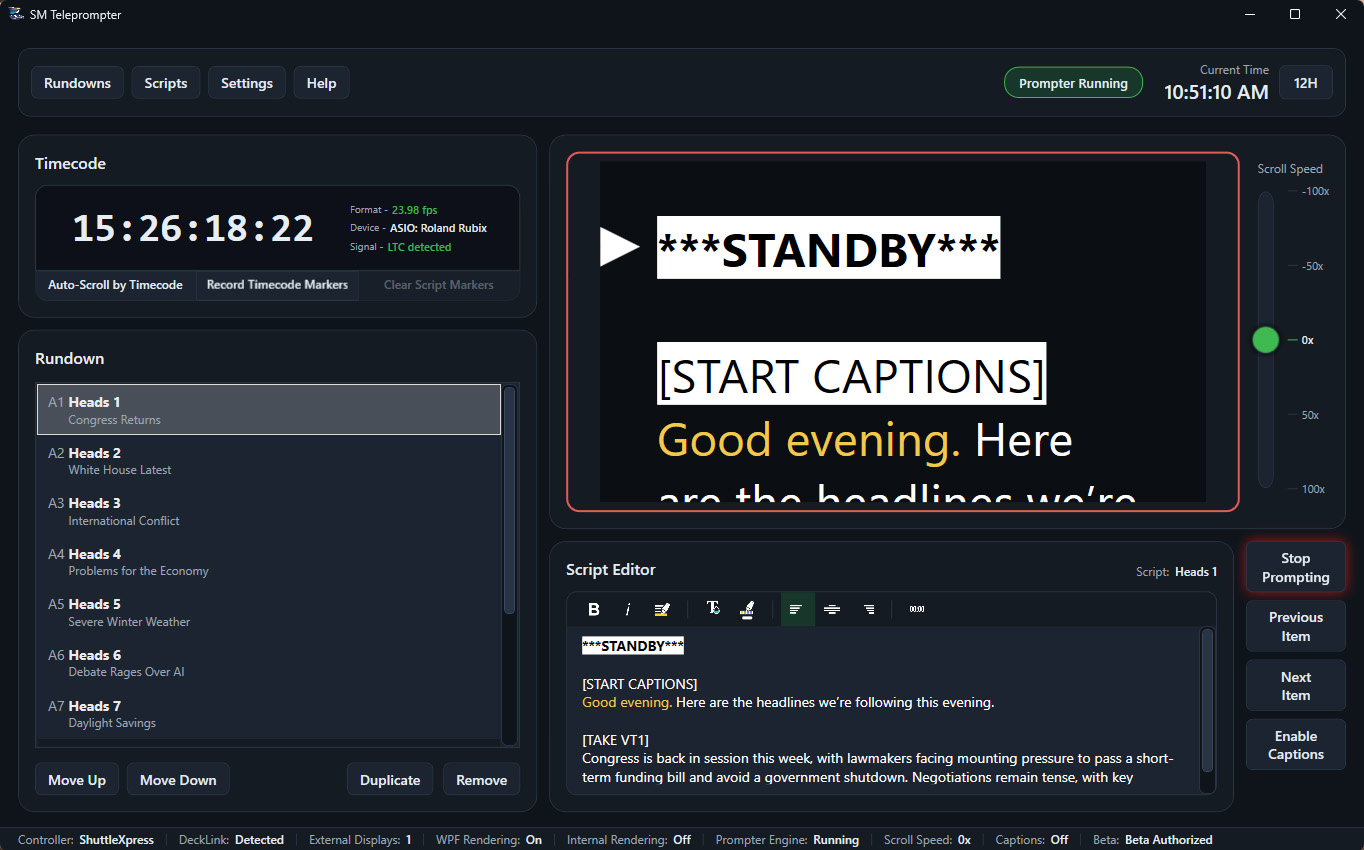
SM Teleprompter delivers smooth, reliable scrolling with precise control for live and recorded productions. It can output to external screens, including support for mirrored and rotated output modes to match real teleprompter rig requirements.

SM Teleprompter interface preview

Choose the version that's right for you

SM Teleprompter is available in three versions for different kinds of users, but every version includes the same super smooth prompter scrolling engine, output to external monitors, selective mirrored and rotated output modes, and full script editing, formatting, and rundown functionality.

Creator

Everything you need to prompt cleanly.

  • Professional prompter operator interface
  • Smooth, real-time script scrolling
  • Live prompter output preview
  • Keyboard and mouse scroll control
  • Output to a second monitor
  • Mirror, flip, and rotate prompter output
  • Rundown-based show workflow
  • Built-in script editor
  • Custom script formatting
  • Edit scripts and rundown while prompting
  • Integrated ShuttleXpress control
  • Import PowerPoint / Impress presentations
  • Import from Word and Open/LibreOffice
  • Network prompter output for browsers
  • SRT caption recording
  • Output via DeckLink cards
  • Broadcast closed captioning on SDI DeckLink cards
  • External timecode input with timecode driven auto-scrolling

Broadcast

Advanced features for broadcast operations.

  • Professional prompter operator interface
  • Smooth, real-time script scrolling
  • Live prompter output preview
  • Keyboard and mouse scroll control
  • Output to additional monitors
  • Mirror, flip, and rotate prompter output
  • Rundown-based show workflow
  • Built-in script editor
  • Custom script formatting
  • Edit scripts and rundown while prompting
  • Integrated ShuttleXpress control
  • Import PowerPoint / Impress presentations
  • Import from Word and Open/LibreOffice
  • Network prompter output for browsers
  • SRT caption recording
  • Output via DeckLink cards
  • Broadcast closed captioning on SDI DeckLink cards
  • External timecode input with timecode driven auto-scrolling

Real Professional Teleprompter Software

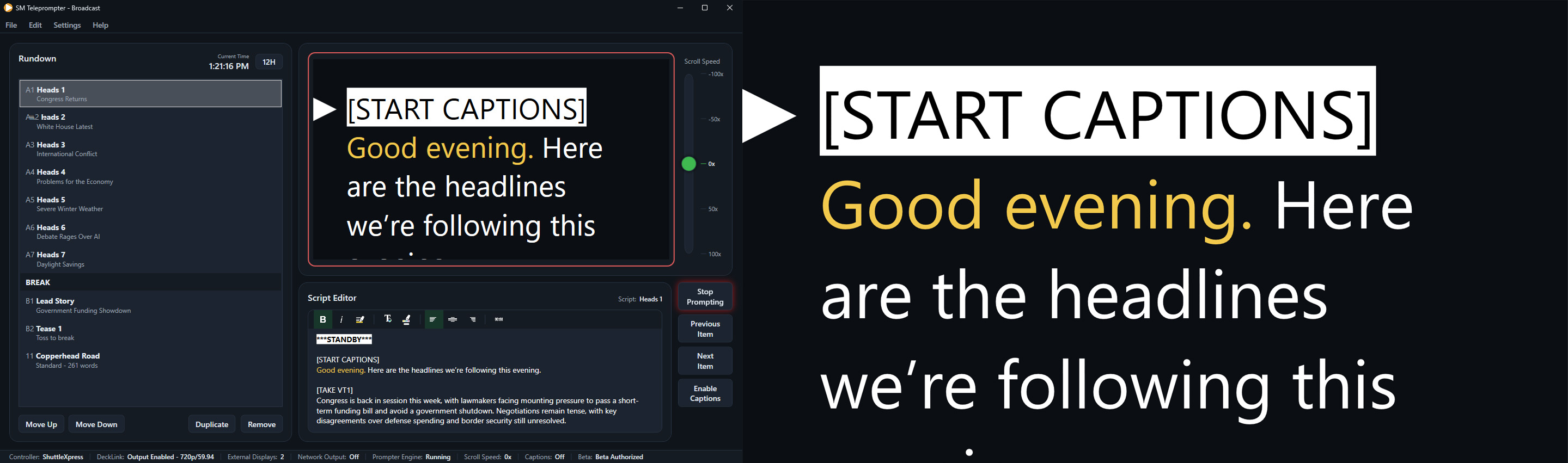
SM Teleprompter display and operator interface

Creator

Creator proves that free does not mean stripped down. It is already more capable than many paid teleprompter tools marketed as professional, with full rundown management, script editing and formatting, external prompter display on a second monitor, and output controls for flip, mirror, and rotation.

Main limitations in Creator:

  • Output is limited to a single connected external monitor.
  • No import support for PowerPoint, Impress, Word, or Open/LibreOffice documents.
  • No built-in ShuttleXpress controller support.
  • No closed caption support.
  • No DeckLink output or external timecode integration.

Studio

Studio is where your production workflow opens up. It supports output to unlimited displays, with each display independently mirrored, rotated, and flipped, plus network prompter output for browser viewing across connected devices on your production network.

It also adds built-in ShuttleXpress control, office format importing, and SRT caption recording so small and mid-sized teams can run with speed and consistency.

Broadcast

Broadcast is the no-compromise tier. You get everything in Studio, plus DeckLink-based prompter output and professional broadcast caption workflows with standards-based captions embedded on SDI-enabled DeckLink cards.

It also delivers advanced timecode capabilities, including auto-scrolling driven by external LTC timecode for tightly synchronized, high-pressure live operations.

Ready to evaluate SM Teleprompter?

Start with Creator for free, move to Studio as your workflow grows, and step up to Broadcast when your production stack requires full advanced outputs.

Get the Beta Build