
Download the SM Teleprompter beta for Windows 11
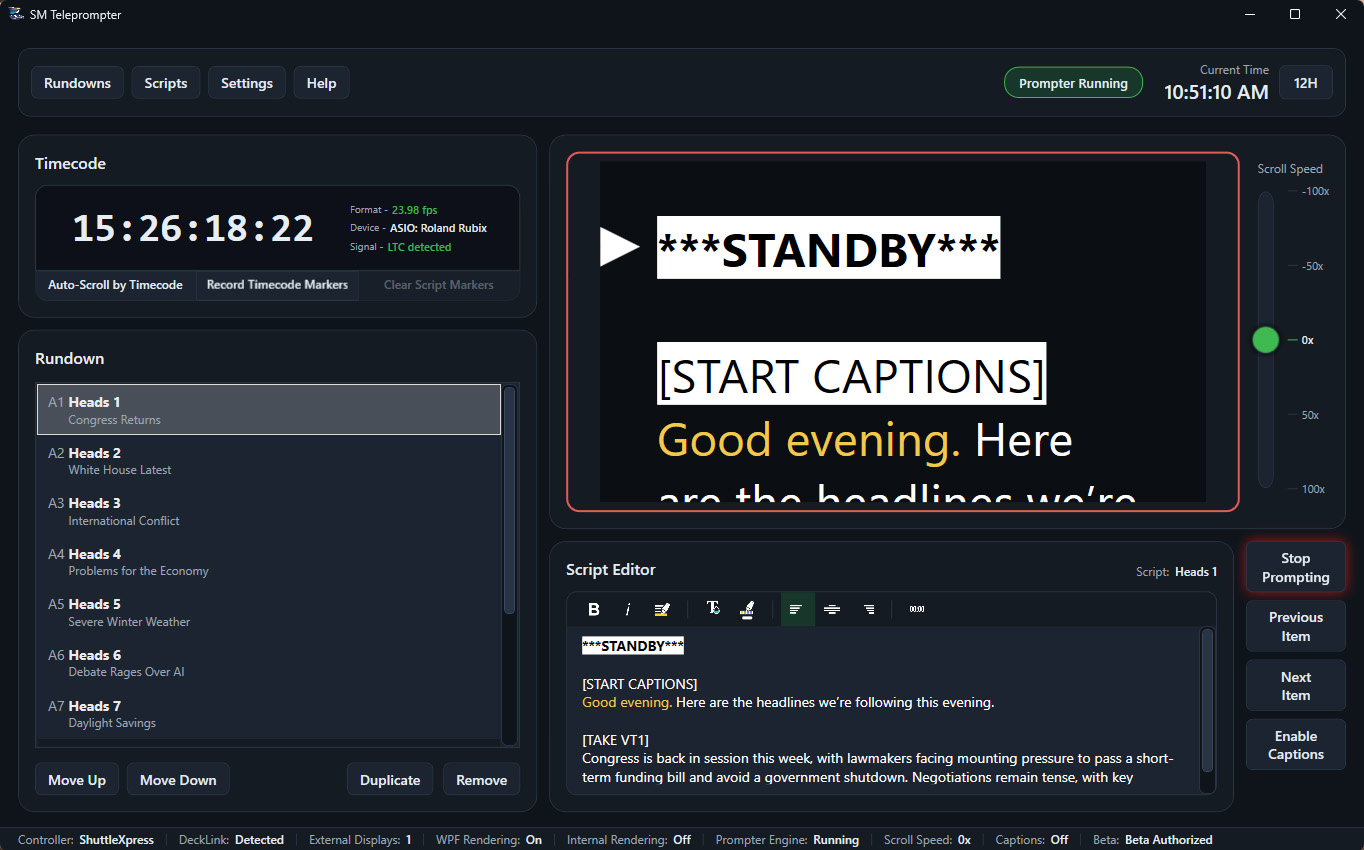
SM Teleprompter is a professional teleprompter application built to replace the bundled software that ships with most teleprompter hardware. It delivers a serious, production-ready operator experience for camera-mounted systems, studio rigs, and monitor-and-mirror setups alike.
Get the beta build
Enter your e-mail and confirm consent to unlock the download.
Built for real productions
Most teleprompter hardware, especially affordable or generic systems, ships with a basic control application as an afterthought. These bundled apps do the bare minimum: display text, scroll it, and stop there. SM Teleprompter replaces that software entirely with a workflow designed for professional operators who need precision, speed, and control.
Whether you are running a camera-mounted prompter or a multi-output studio rig, SM Teleprompter keeps the operator in charge with smooth scrolling, live preview, and device-native control.
SM Teleprompter - Features
- Professional, operator-driven teleprompter workflow
- Smooth, real-time script scrolling
- Live prompter output preview
- Keyboard and mouse control
Rundowns and Scripts
- Rundown-based show workflow
- Multiple scripts per rundown
- Built-in script editor
- Import scripts from Word and Open or LibreOffice
- Import PowerPoint or Impress slide notes as scripts
- Native .prmpt XML rundown format
Text and Readability
- Bold, italic, and highlighted text
- Left, center, and right alignment
- Custom text colors
- Adjustable text size
- Optional caret or read-position indicator
Prompter Output
- Output to any connected monitor
- Optional mirrored output for beam-splitter prompters
- Network or browser-based prompter output
- SDI output via Blackmagic DeckLink cards
Control Devices
- Native Contour ShuttleXpress support, no drivers needed
- Variable-speed jog wheel control
- Step-based scrolling
- Adjustable smoothing and acceleration
- Hardware buttons for common prompter actions
Closed Captioning
- Record SRT caption files
- Embed CEA-608 and CEA-708 captions on SDI output
- Send live captions to YouTube ingest
- Multiple caption outputs at the same time
- Script-based caption commands
Timecode
- LTC (SMPTE) timecode input
- Live timecode monitoring
- Manual timecode markers in scripts
- Record timecode markers during prompting
- Timecode-driven auto-scroll